Use this guide to connect your Facebook Lead Forms and make sure every field (name, phone, email, etc.) lands in the right place in your BiteBot account.
Steps
1. Open Settings in your account.
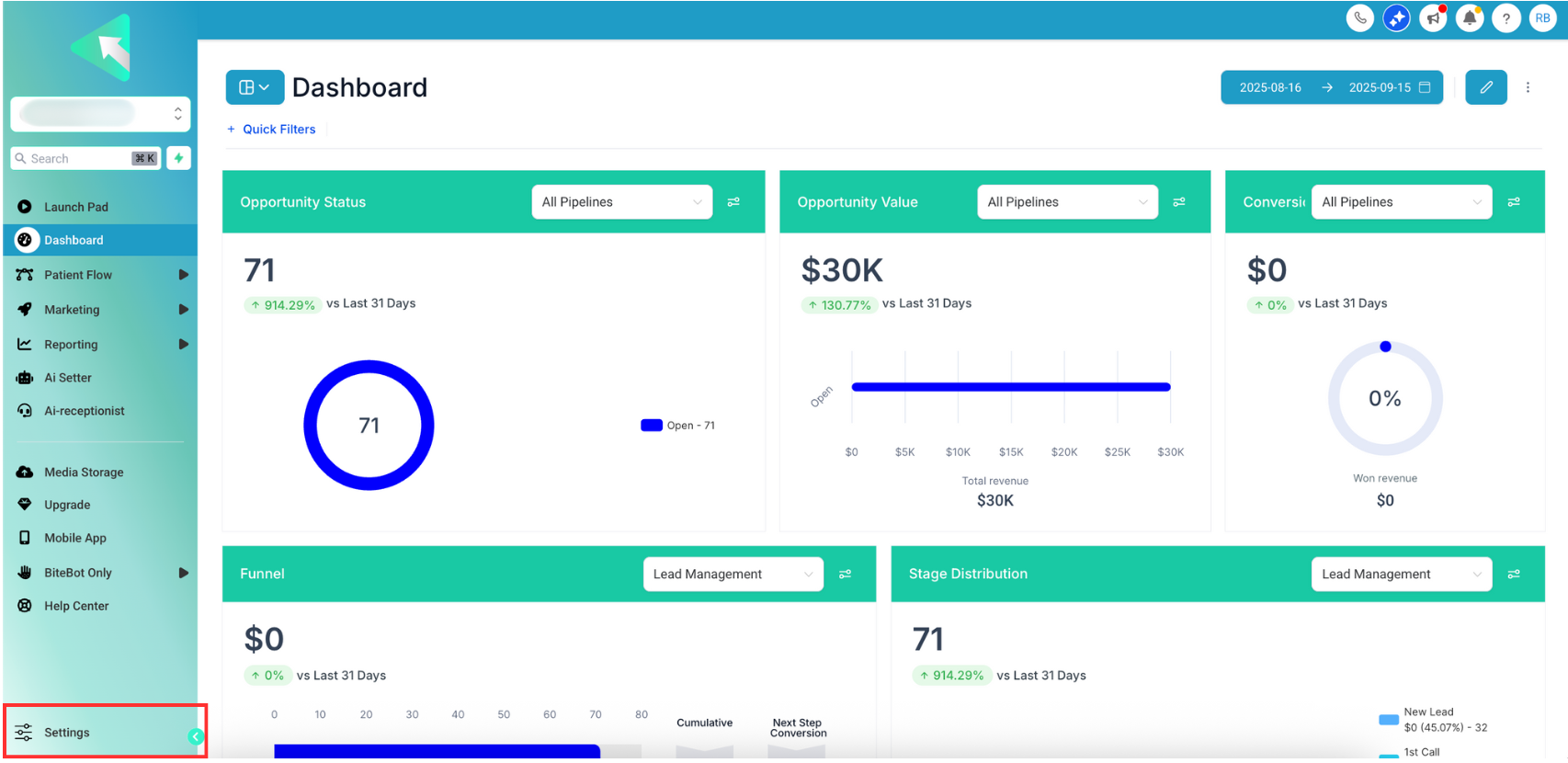
2. Go to Integrations.
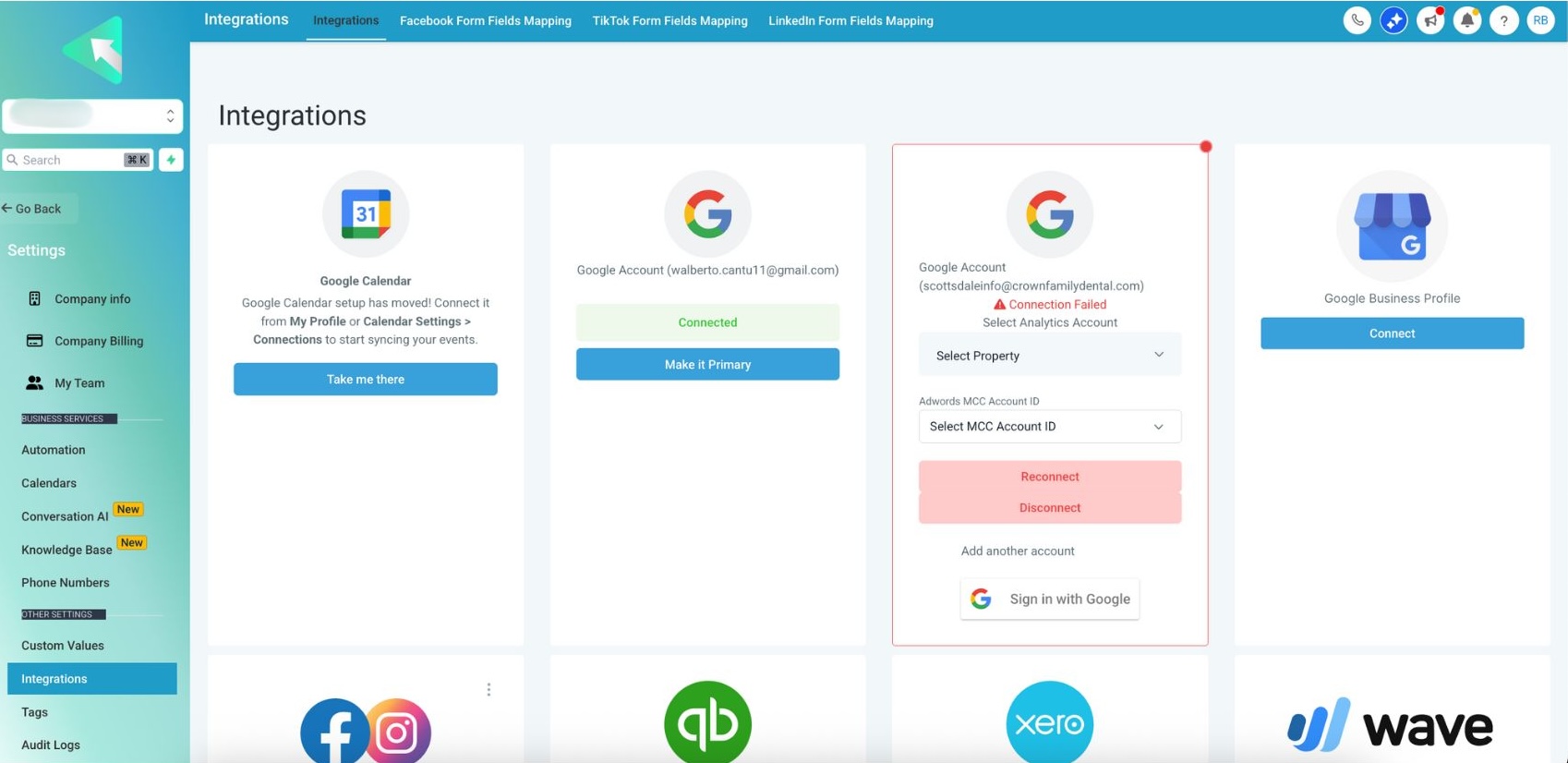
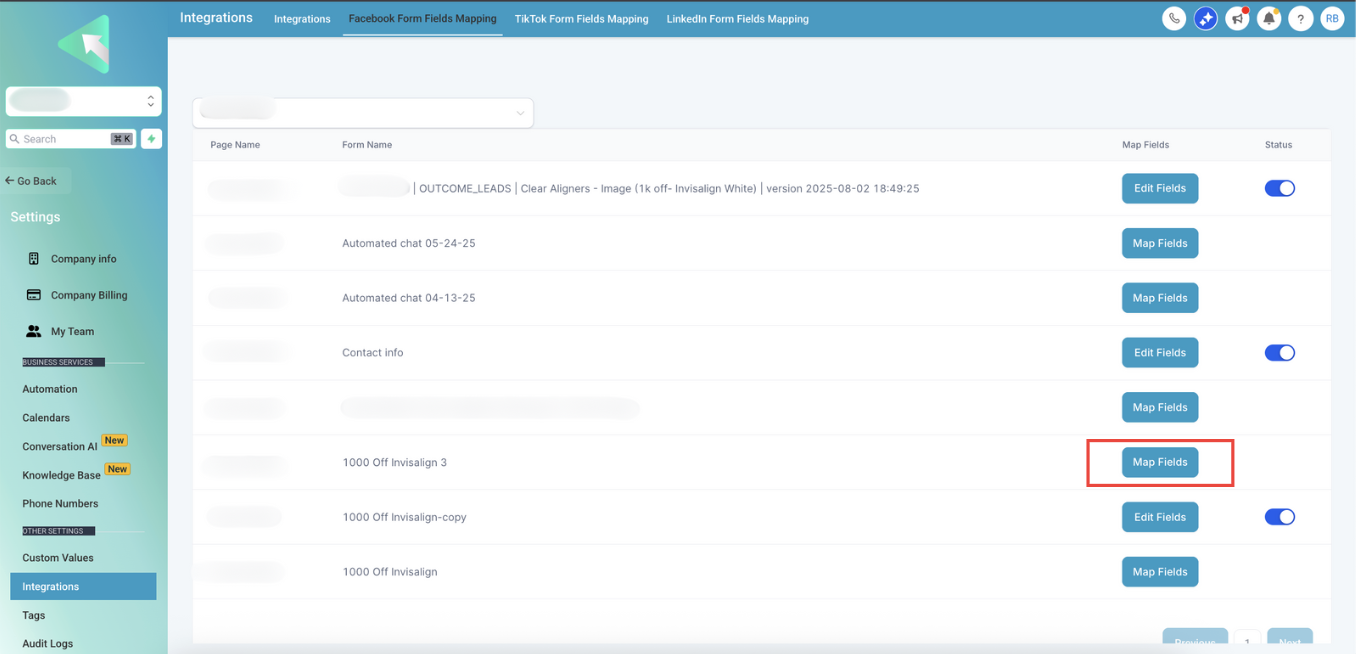
3. Choose Facebook Form Field Mapping.
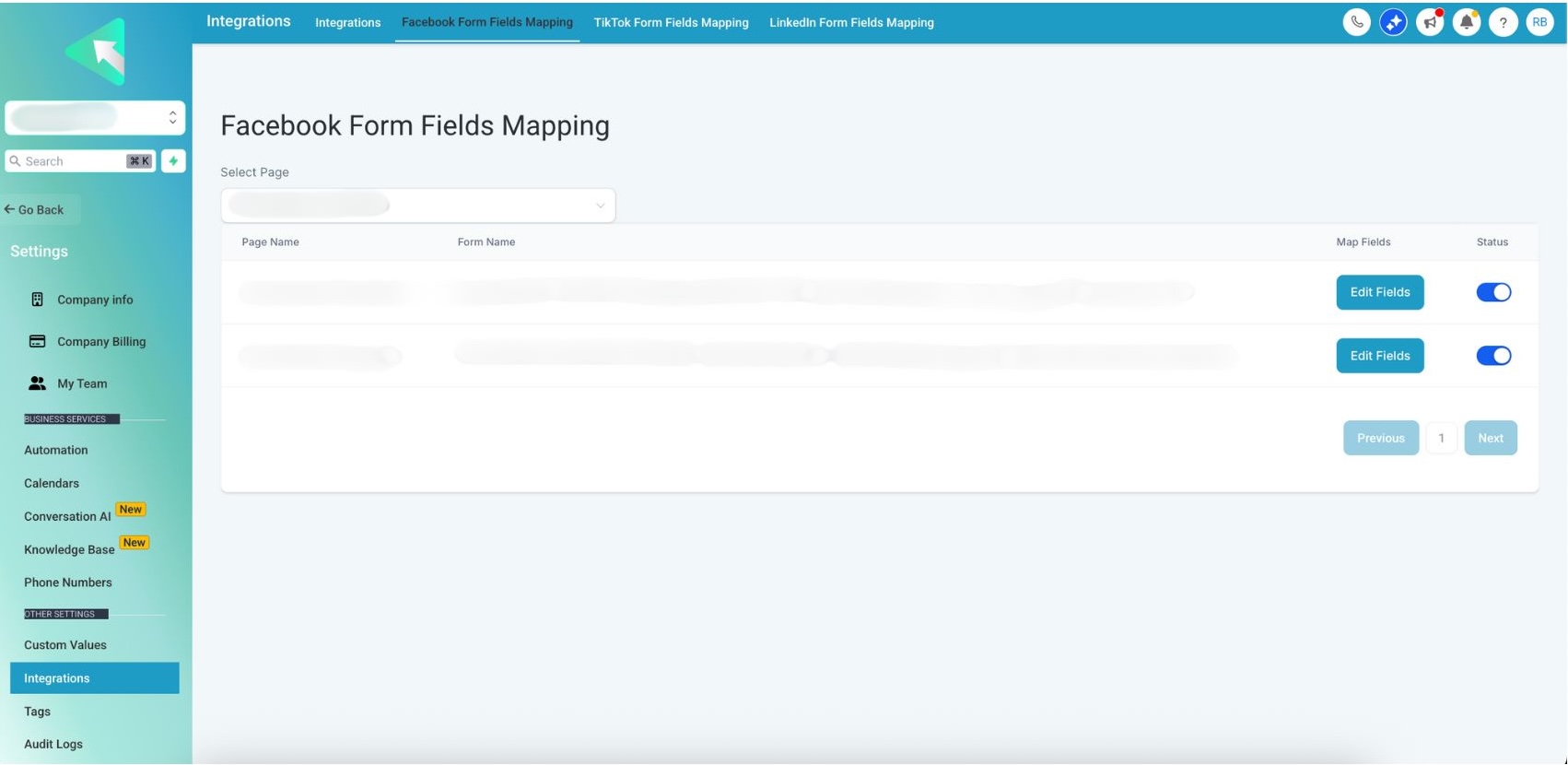
4. Select the Facebook Page you want to map.
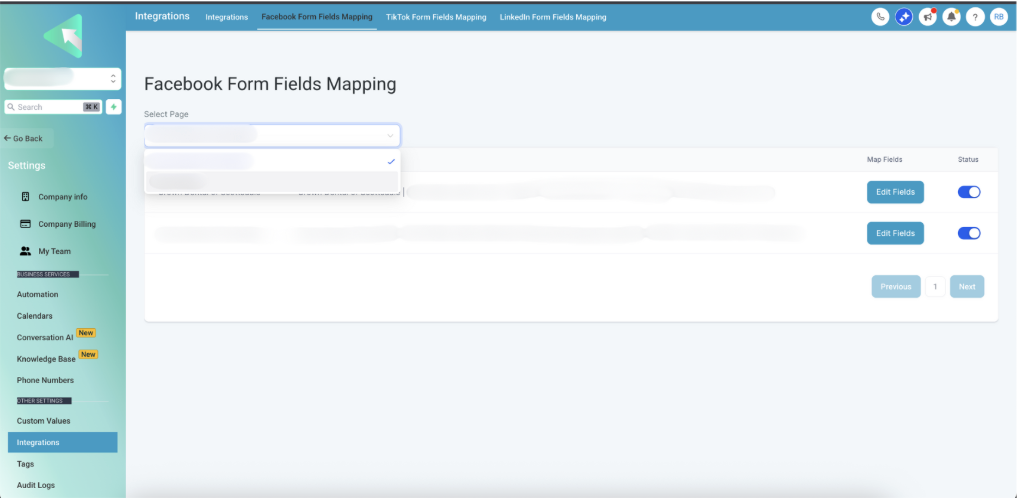
5. Click Map Fields.
6. Map all fields you collect — at minimum Name, Phone Number, Email, plus any custom fields on your form.
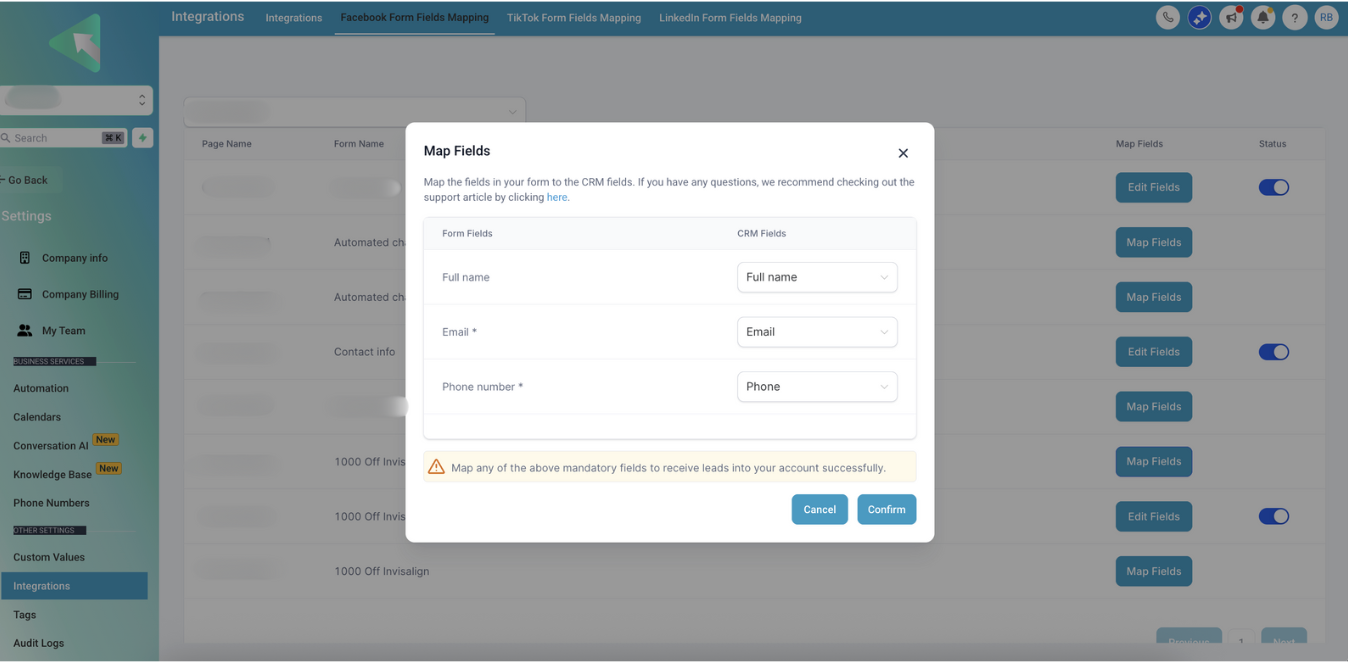
7. Click Confirm to save.
8. That’s it - setup is complete.
Quick Tips
* If you add new questions to your Facebook form later, revisit Map Fields to link any new fields.
* If you manage multiple Pages, double‑check you selected the correct Page before mapping.
* After setup, submit a quick test lead to verify values land in the expected BiteBot fields.
Was this article helpful?
That’s Great!
Thank you for your feedback
Sorry! We couldn't be helpful
Thank you for your feedback
Feedback sent
We appreciate your effort and will try to fix the article