BiteBot’s AI Receptionist answers calls 24/7, captures caller details, answers basic questions, and routes inquiries to the right place so your team never misses an opportunity.
You can customize greetings, knowledge base, call routing, and availability to match your practice’s needs and deliver a professional, always-on patient experience.
Watch this video for the step by step guide:
Access Your AI Receptionist
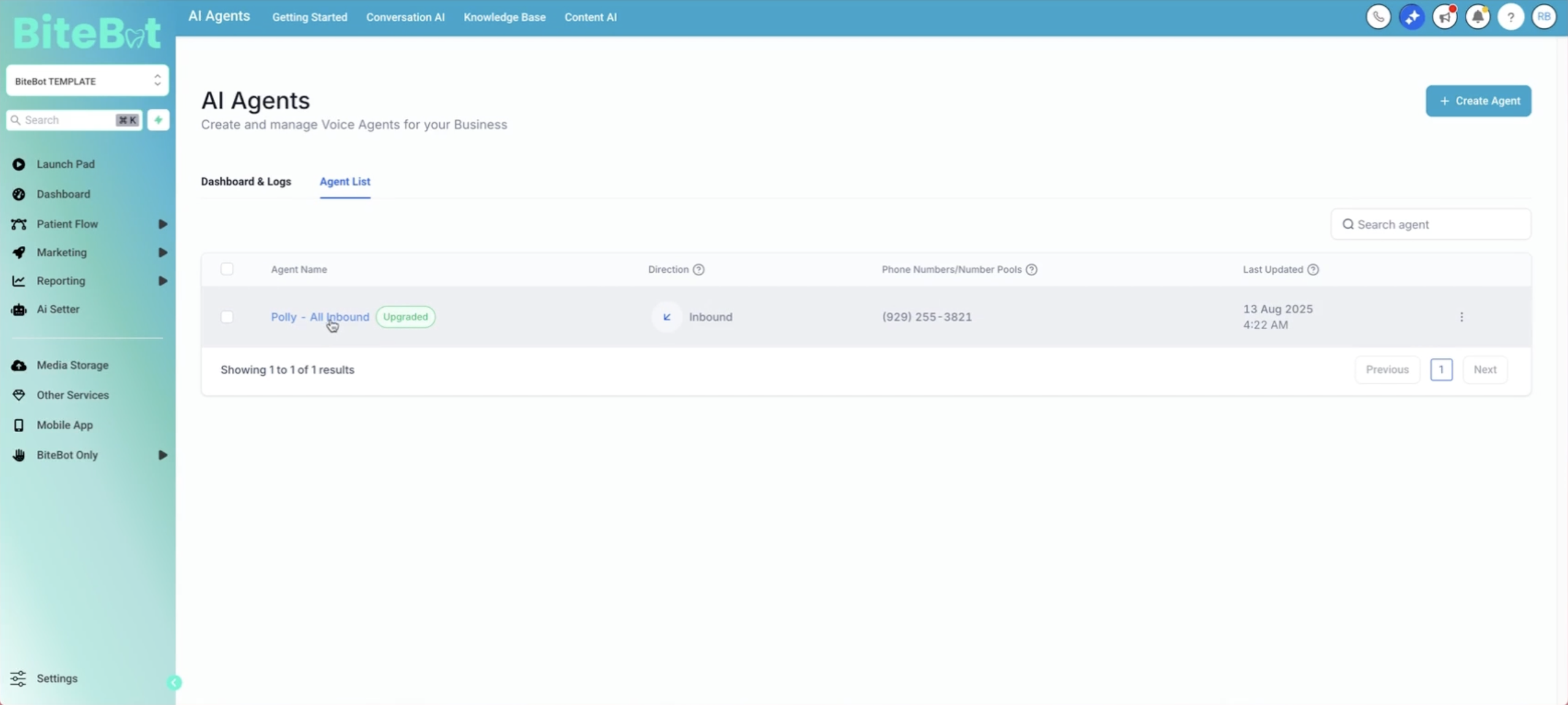
In your dashboard, click on AI Receptionist. This will open a page showing the list of agents in your account. You'll see Polly - All Inbound, which has already been set up for you.
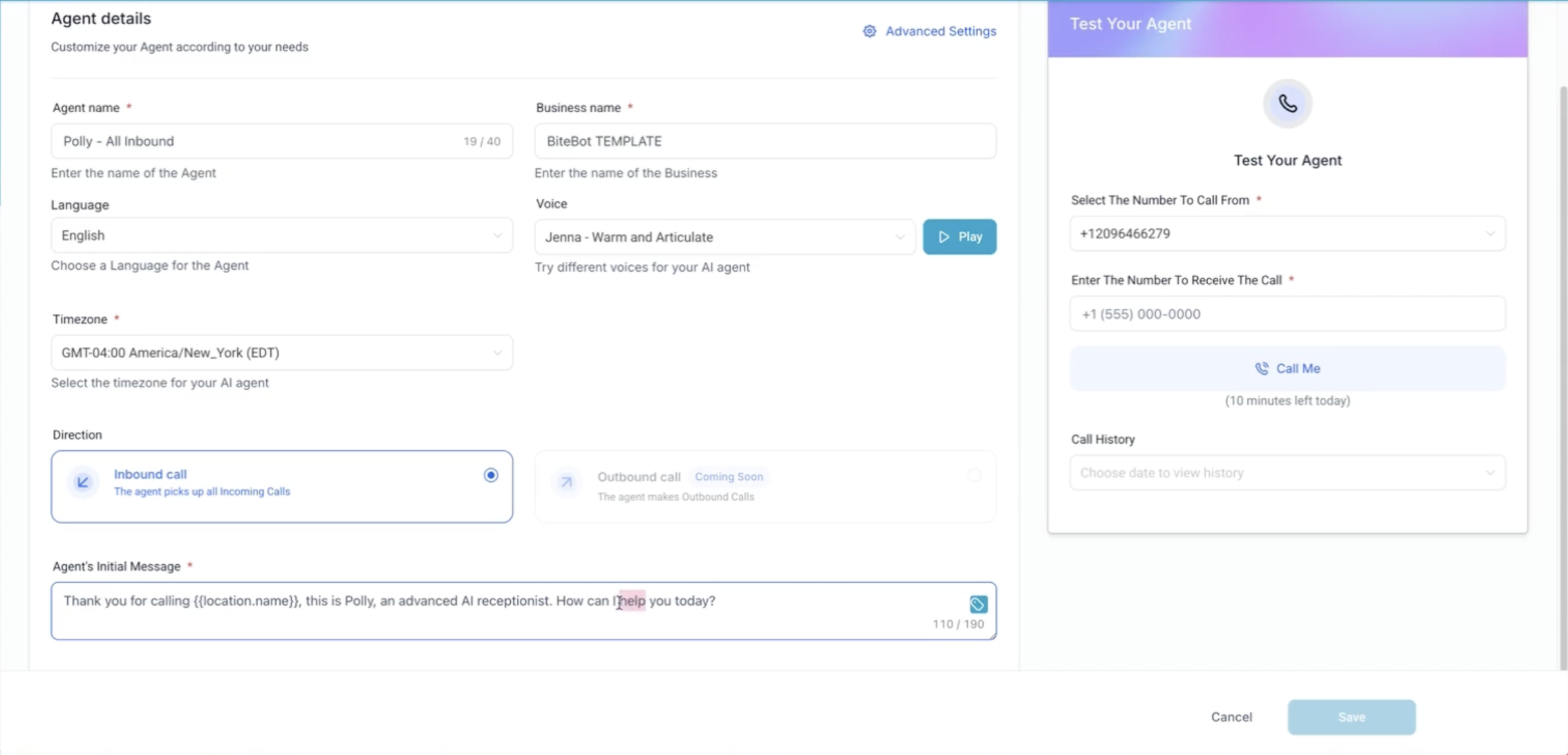
Agent Details
In Agent's Initial Message, you can customize the default greeting to match your practice’s tone whether friendly, professional, or somewhere in between. Here, you can also explore different languages and voice options to best match your practice’s style and needs.
Agent Goals
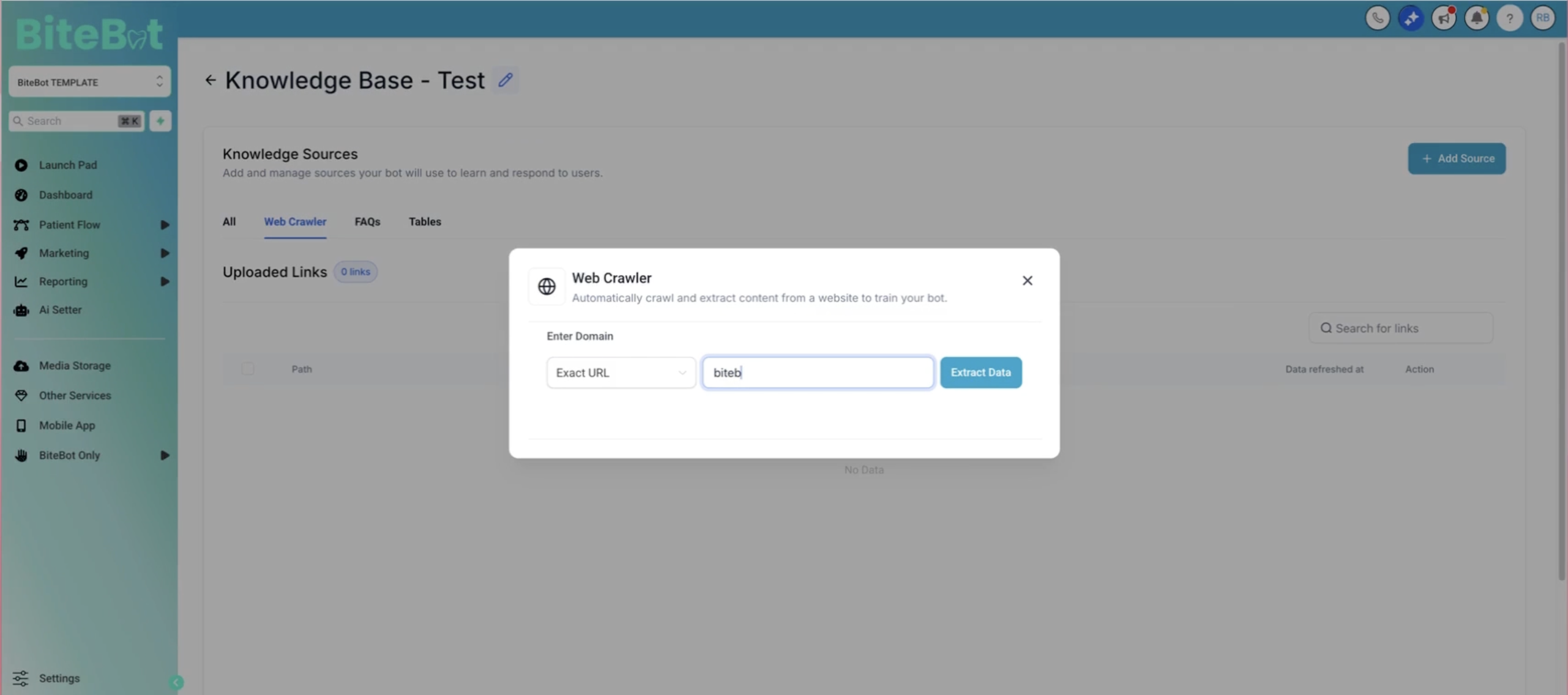
Under Agent Goals, you can add or update the knowledge base to ensure it has accurate information about your practice.
To update knowledge base you can:
Add your website link so the AI has accurate information about your practice
Include details like your office address, doctor’s name, and services offered
Use the web crawler tool to automatically pull details from your site
Call Actions
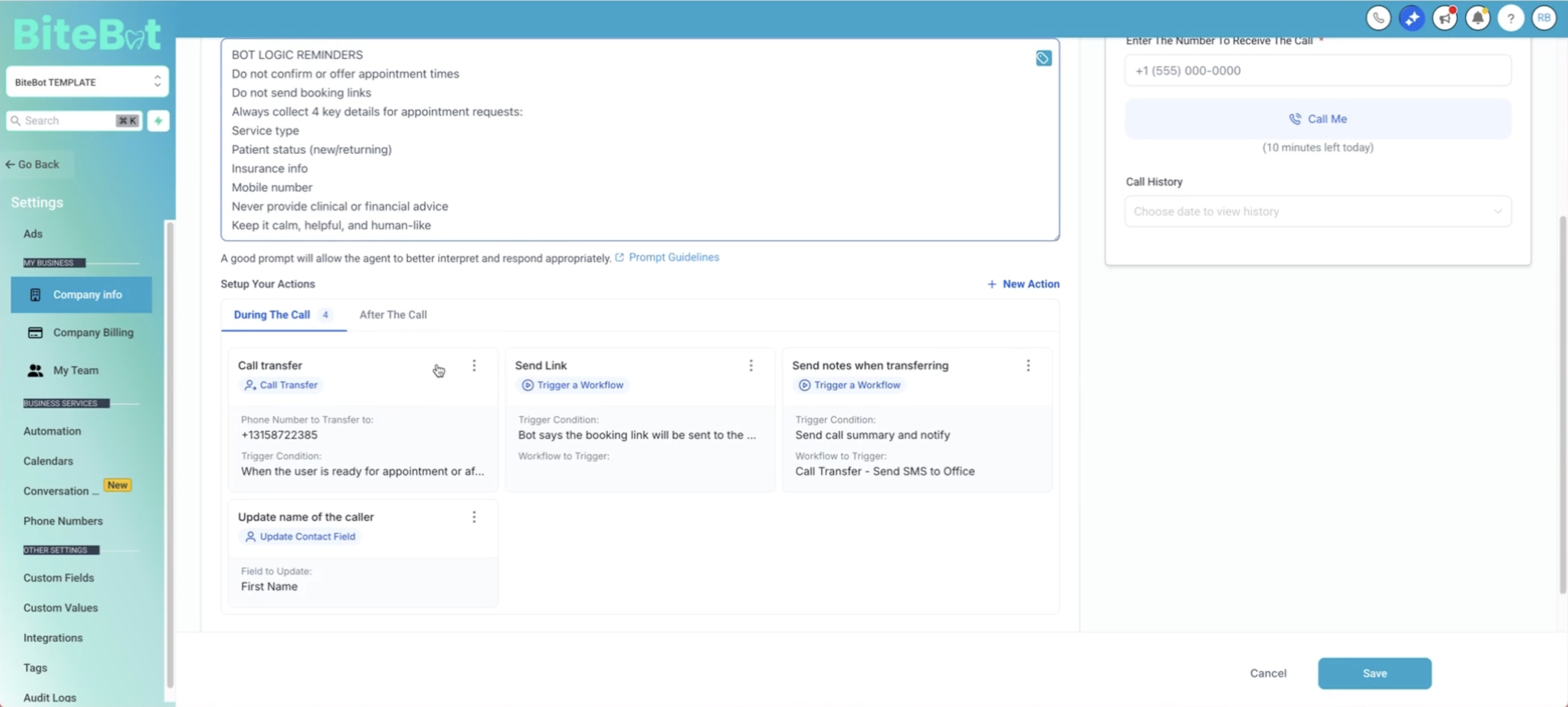
You can enhance your AI Receptionist’s performance by adding specific rules for handling calls, such as transferring them live during office hours or sending follow-up emails for after-hours inquiries. You can also set up after-call notifications to receive detailed call summaries via email, keeping you informed and responsive.
Configure the AI Receptionist’s availability by setting precise office hours or making it accessible 24/7, ensuring it operates exactly when your practice needs it.
Other Helpful Links:
Daily monitoring guide: [Campaign Management Best Practices - Click Here]
Submit Support Ticket: [Get Help Fast - Click Here]
Was this article helpful?
That’s Great!
Thank you for your feedback
Sorry! We couldn't be helpful
Thank you for your feedback
Feedback sent
We appreciate your effort and will try to fix the article